
Field maintenance and work orders Design concept
Masar Al Fanni
A Kuwaiti maintenance workspace connecting customer requests, technician schedules, checklists and site photographs from office to phone.
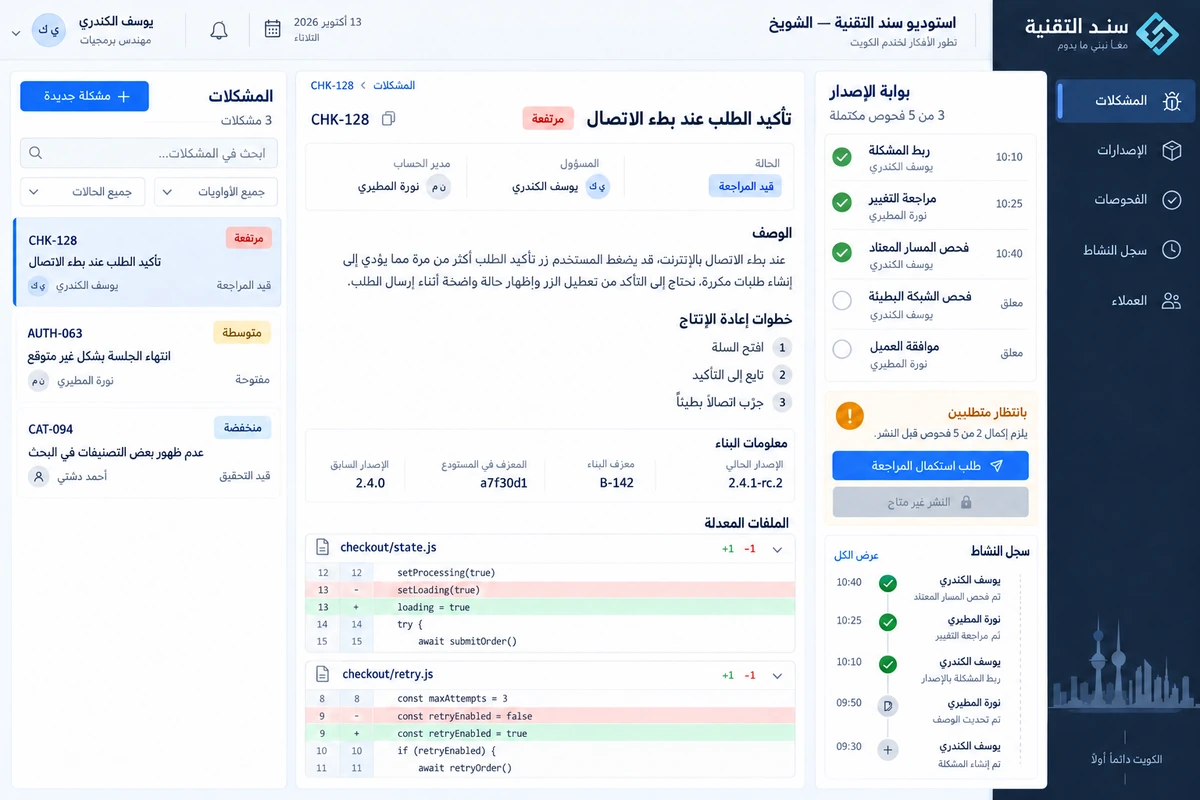
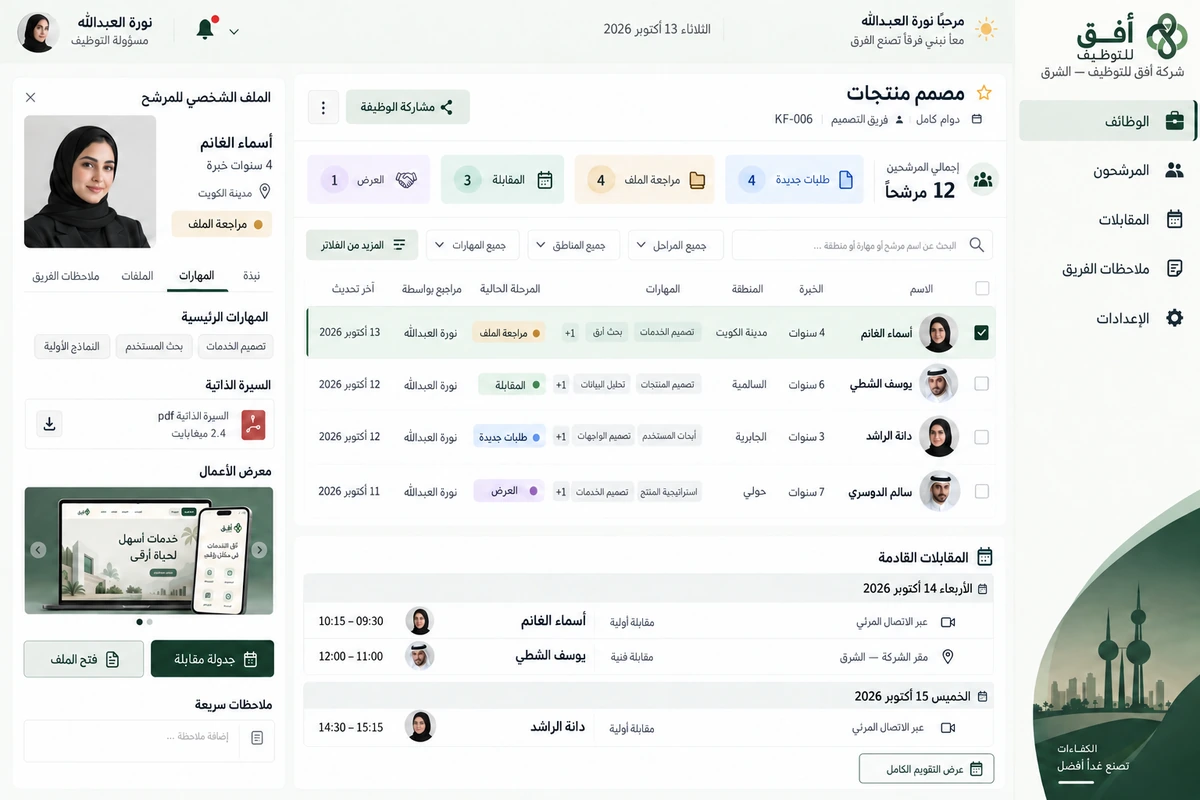
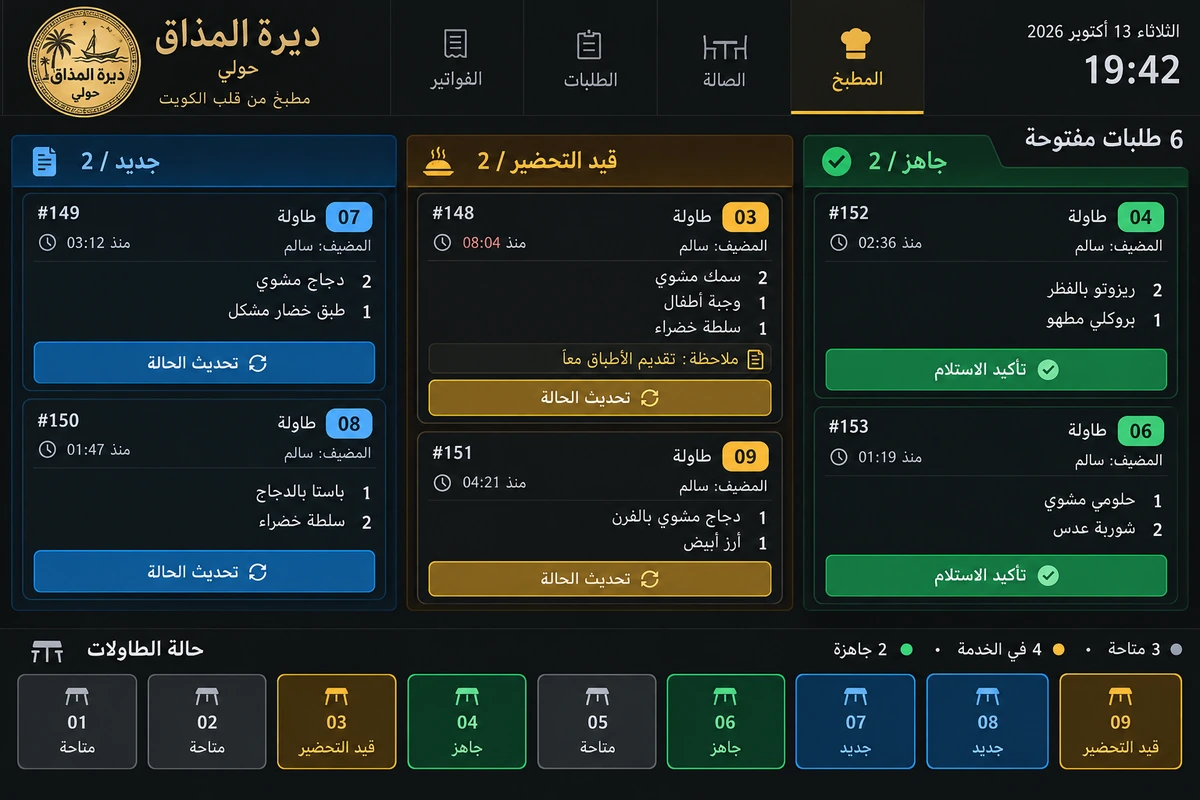
We designed Masar Al Fanni for a company visiting Salmiya, Hawalli, Jabriya and Shaab. The project separates the coordinator's team-wide view from a technician's work at the door: assigned jobs, access notes and inspection. An Arabic identity joins those tasks in a traceable work-order record.
Client in the design study
Masar Al Fanni Maintenance
Salmiya, Hawalli Governorate, Kuwait
Project brief
A design study for a fictional Kuwaiti maintenance company needing a shared office-and-technician record across several districts.
Design scope
- Arabic identity, assignment and team schedule
- Work-order checks, photographs and notes
- Technician app with personal jobs and visit states
01 / The project challenge
The project challenge
Customer addresses, visit times and equipment photographs were scattered across messages and calls. Rescheduling left people unsure which version was current. Travelling did not mean arrival, and adding a photo did not mean completion. We defined scheduled, travelling, on-site and completed states and attached checklist steps, photographs and notes to the work order instead of disconnected messages.
02 / The solution we designed
The solution we designed
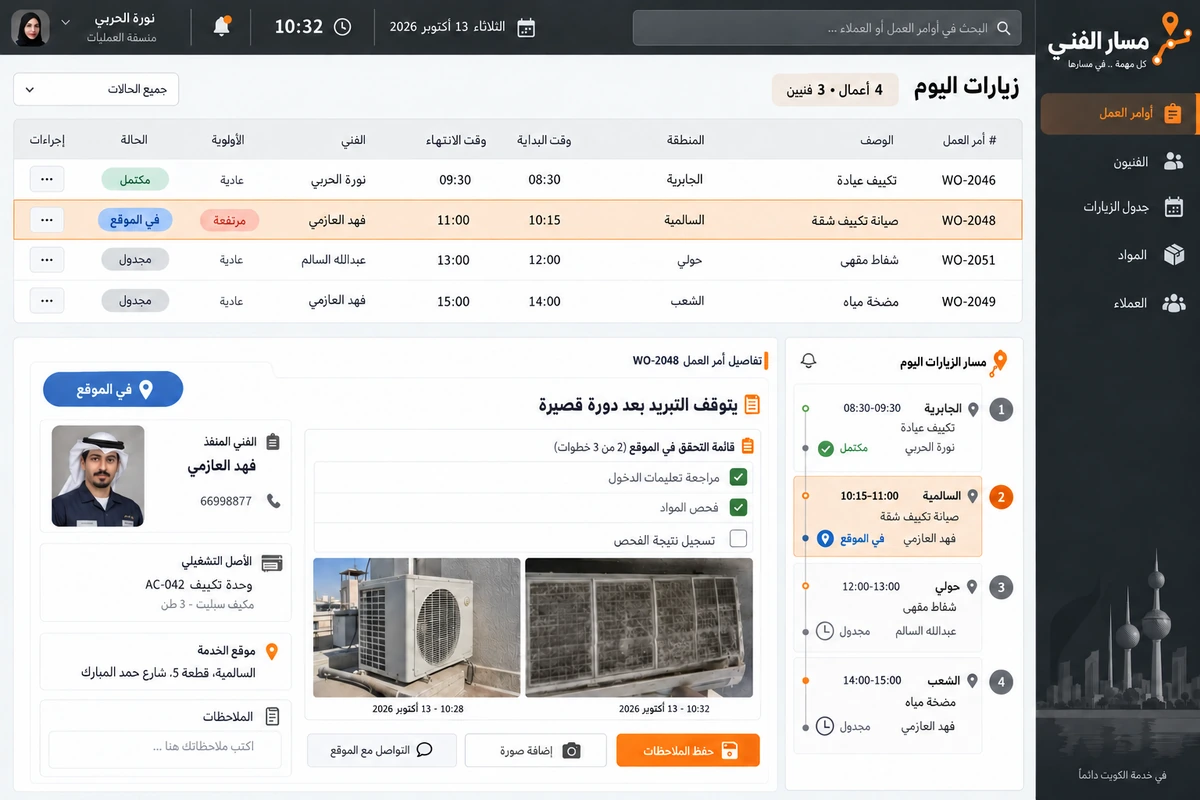
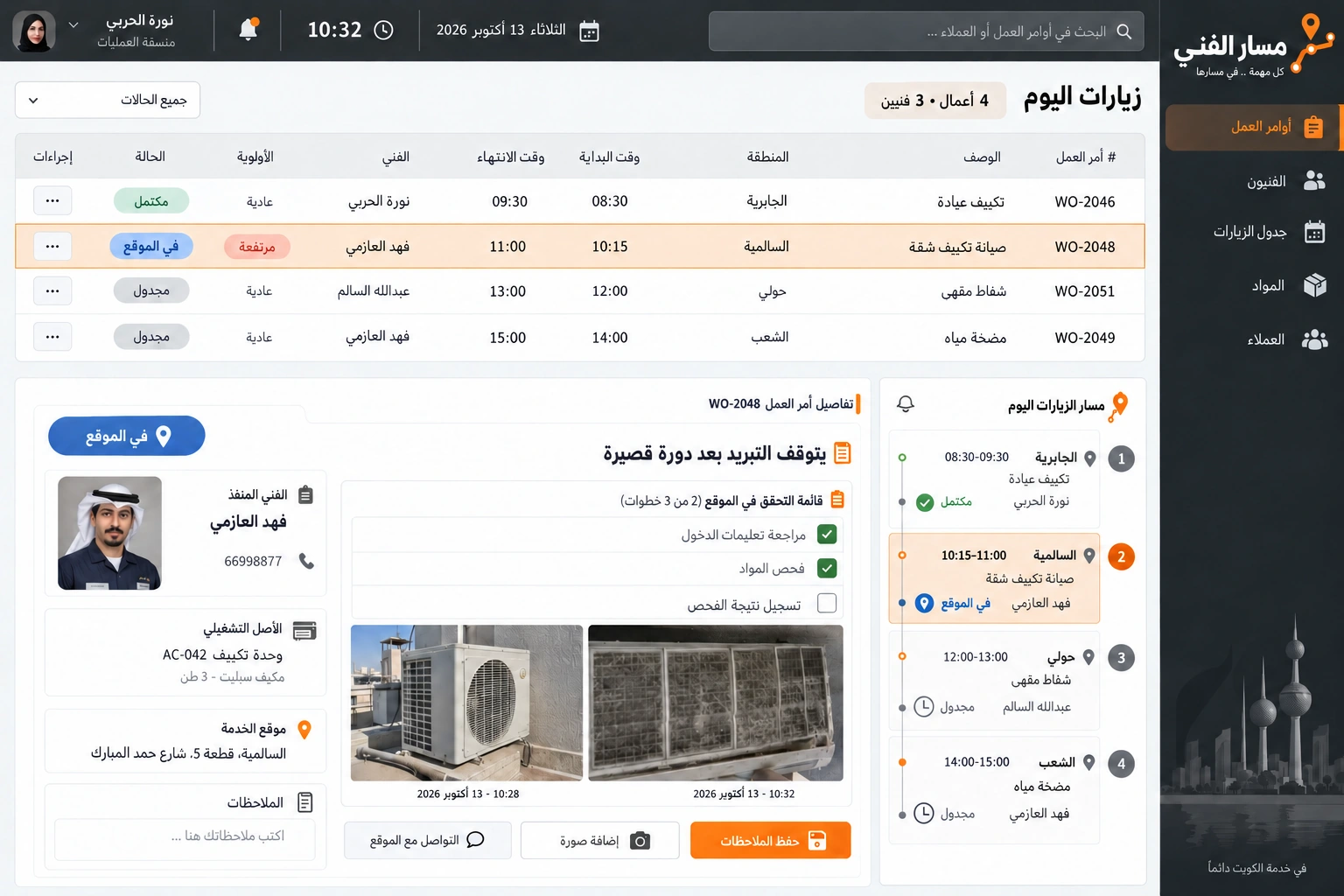
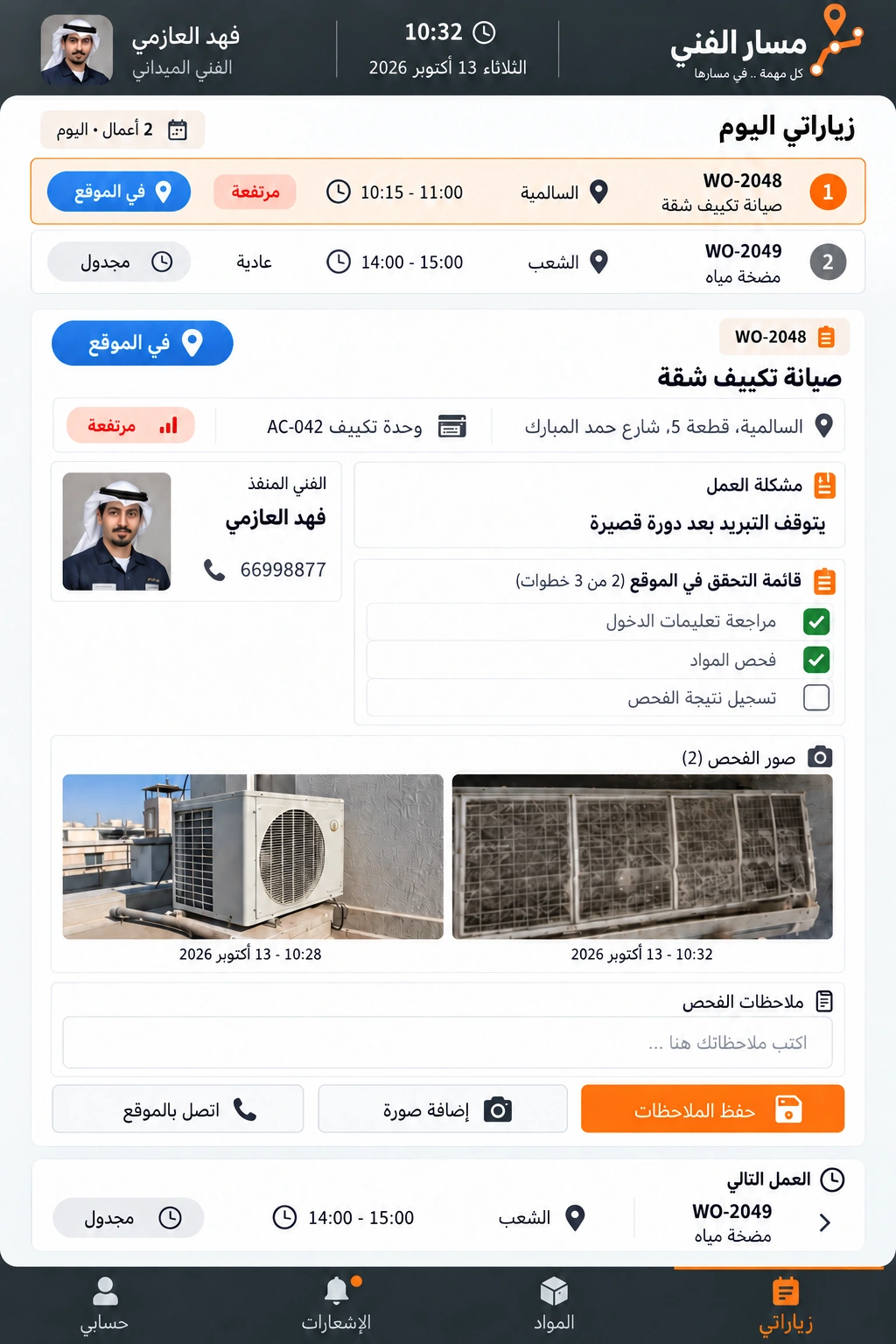
The office has four jobs across three technicians, each with time, district, priority and owner. Its example is Fahad Al Azmi's air-conditioning visit in Salmiya from 10:15 to 11:00. At 10:32 he is on site, has completed two of three checks and added two photos, so no future arrival estimate appears. His mobile view contains only his two jobs; colleagues' assignments remain in the office view.
03 / The experience
The experience
Coordinator Noura Al Harbi checks the address, access instructions and equipment before confirming the assignment. Fahad arrives, sets On site, reviews instructions and checks materials. He photographs the unit and filter and notes cooling stopping after a short cycle. Recording the inspection result remains incomplete until he finishes. Site contact is available within the order, and the office sees the same record when deciding whether another visit is required.
04 / What it could do
What it could do
Clear assignment
Put technician, district, visit window and priority together while separating team and personal job lists.
Real operational states
Distinguish travel, arrival, work and completion without a future arrival estimate for an active on-site visit.
Documented inspection
Keep checks, photographs and notes with the work order and show what remains before closure or follow-up.
A practical field app
Present address, contact and inspection in a short screen with controls suited to working away from a desk.
05 / A typical journey
A typical journey
Confirm the visit
Noura checks address, asset and customer window and assigns Fahad from the team workspace.
Confirm arrival
Fahad opens the order and sets On site before starting the technical checks.
Record inspection
He confirms two steps, adds two photos and records the result before completing the visit.
Office follow-up
The coordinator reads the shared history and closes the order or arranges further work.
06 / Inside the interface
Inside the interface
Explore the Arabic web interfaces and companion app. The screens share a consistent identity and Kuwaiti sample workflows.
Explore the screens.
Open any screen to explore the complete project gallery.
07 / Design direction
Design direction
Charcoal, sand and orange accompany an Arabic mark suggesting a route and technical step. Decorative maps give way to a practical visit list and clear district names, with priority on time, address and state. Realistic HVAC photographs enrich an Arabic RTL workspace. Desktop and mobile show Fahad's same record while keeping team and personal scopes distinct and arrival consistent with inspection.
Discuss a similar idea